QR menu features
From setting up your menu to settling the bill.
QR menu, AI support, multilingual content, themes and table tracking in one panel. None of it requires technical knowledge.
AI support
Upload a photo of your printed menu and let the products, prices and categories be created for you. AI also writes descriptions and fills in missing details, and you review everything before publishing.
- Product, price and category list from a menu photo
- Product descriptions in every supported language
- Allergen and nutrition estimates, published only after your approval
- Finding products with missing details and completing them in bulk
QR code and table labels
Every business gets its own menu address and QR code. The address stays the same when you update the menu, so you never need to reprint your labels.
- Table labels and a price list that match your menu theme; you choose the label text, colors and logo
- Download the QR code as PNG or SVG
- Print the labels or download them as a PDF
Scan this code with your phone to open a sample menu. Open the sample menu
Multilingual menu
Publish your menu in Turkish, English, German, French, Russian and Arabic. Guests pick their language at the top of the menu.
- You choose which languages are available
- Separate text for products, categories and descriptions in each language
- In Arabic, the menu reads right to left
Ready-made themes
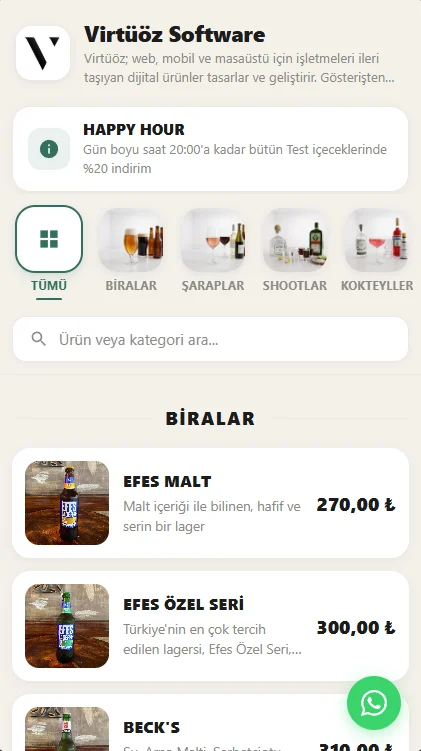
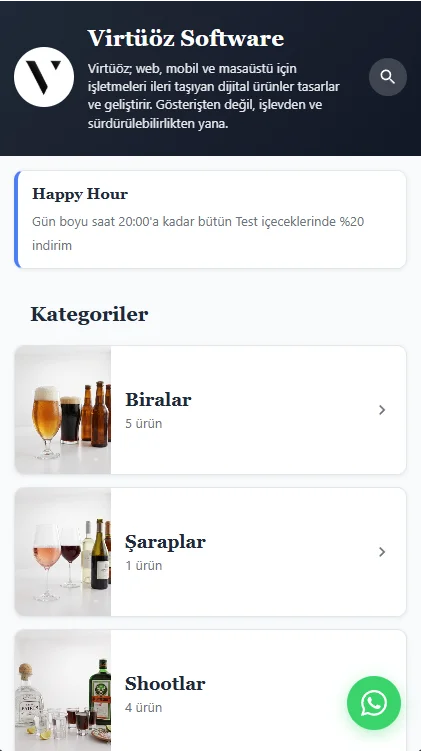
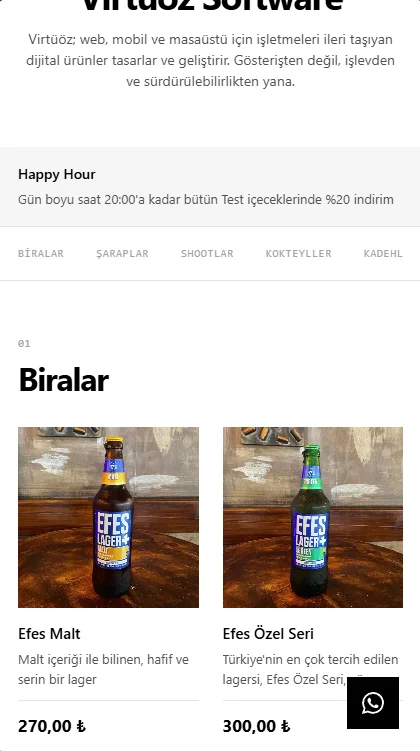
Choose the one that suits your business from 11 themes. With your logo and cover image, the menu becomes yours.
- Logo and cover image
- Switch themes any time; your products and translations stay in place
- Try every theme live on the phone on our homepage
Categories
Group your products into categories and reorder them by dragging. You can hide a seasonal category and bring it back later without deleting it.
- Unlimited categories
- Drag-and-drop ordering
- Hide and show a category without deleting it
Products
Every product has a photo, a price and a description. Portion and extra options, allergens and badges appear right next to it.
- Portion and extra options, each with its own price
- Allergen and ingredient information
- Mark a product as sold out with a single tap
- New, popular and chef's choice badges
AR menu
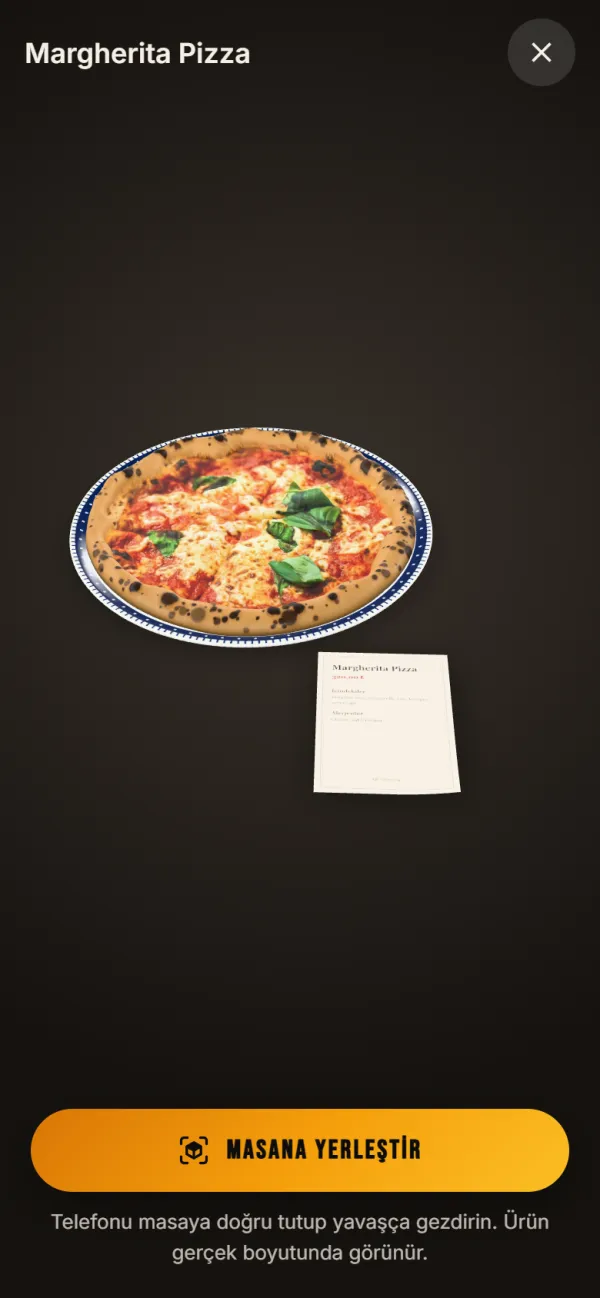
The products you choose open in 3D in the QR menu; on phones that support AR, the camera opens and the product is placed on the table at real size.
- A "See it on your table" button on the product card and in the product window
- A sheet with ingredients and allergens next to the product
- No app needed, works on Android and iPhone
Statistics
See how often your menu is opened, which products people look at and which hours are the busiest.
- Daily, weekly and monthly views, with the change from the previous period
- Most viewed products and categories
- Busy hours of the day
- Device breakdown: phone, tablet, computer
Table tracking
Alongside your QR menu, manage tables and bills from the same panel. A simple system designed for the daily work of small and medium-sized businesses, with no extra setup.
- Table-based bills: open the table, add items, close the bill
- Waiter, cashier and owner roles; everyone sees only what they need
- A feed of recent orders keeps the kitchen informed early
- Cash or card payments and an end-of-day register summary
- Products come from your QR menu, so there is no separate product entry
This is basic table tracking. If you need it for busy service, multiple branches or detailed reporting, we recommend Garsonika, our full-featured POS system. Ask us about Garsonika
Small details that make a difference
Everything else guests look for on your menu is ready too.
-
Announcements
Show campaigns and announcements at the top of the menu.
-
Opening hours
Your opening and closing times appear on the menu.
-
Address and directions
Your address is shown together with a map link.
-
WhatsApp button
Guests can message you on WhatsApp with a single tap.
-
About and contact
Pages about your business live inside the menu.
-
Secure connection
The menu and the panel open over an encrypted connection (HTTPS).
Every feature is unlocked during the trial.
Try it free for 7 days. No credit card, no setup fee.
