AR menu
Let guests see the dish on the table before they order.
An AR menu (augmented reality menu) opens the dishes in your QR menu in 3D on the guest's phone and places them on the table at real size through the camera. No app to install: the menu runs in the browser.
What is an AR menu?
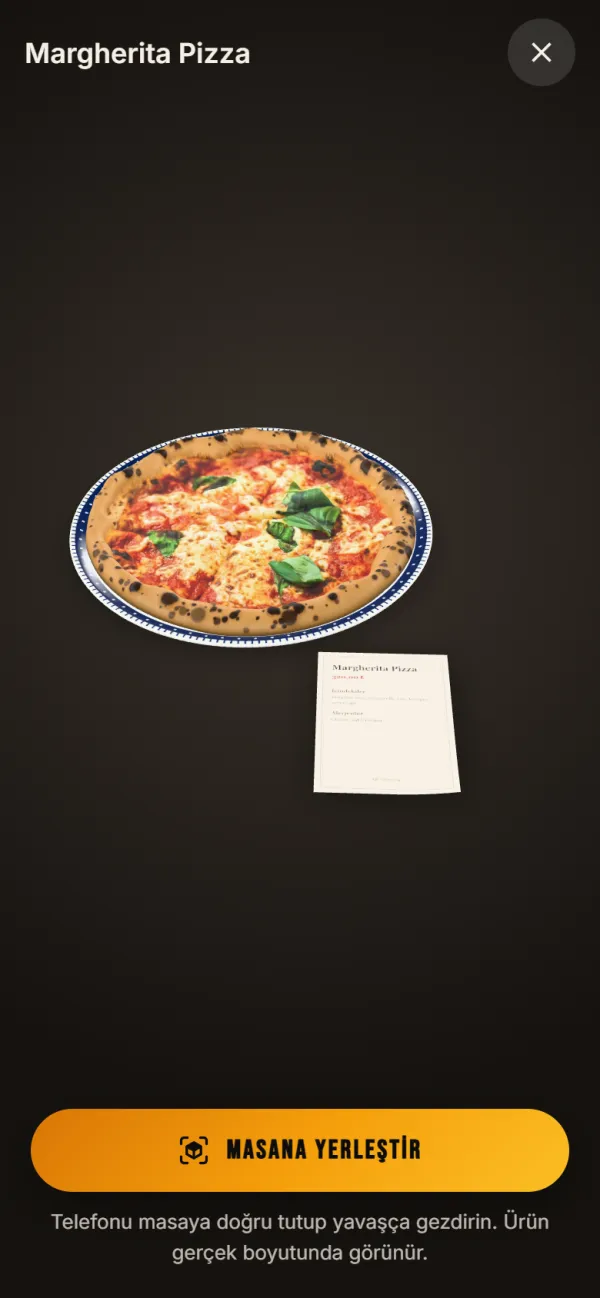
An AR menu is a digital menu that shows a real-size 3D model of the dish instead of a photo. The guest scans the QR code, taps "See it on your table" and sees the plate, glass or dessert on their own table.
- The dish opens in 3D on the phone and can be turned with a finger to see it from every side.
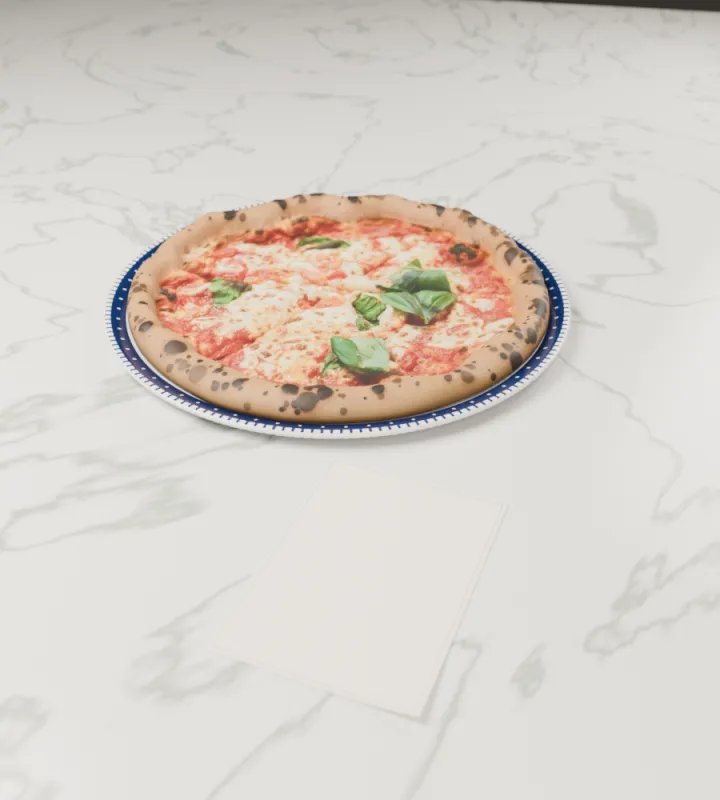
- On phones that support AR, the camera opens and the dish is placed on the table at real size.
- Next to the dish lies a sheet listing the ingredients and allergens in the guest's language.
How does it work?
Just a few steps on your side. We can prepare the 3D model for you, or you can upload your own 3D file in the panel.
- Send us photos of the dish; our team models it in 3D at its real size.
- The model is uploaded on the product page in the panel, and a "See it on your table" button appears in the QR menu.
- The guest taps the button; if the phone supports AR the camera opens directly, otherwise a 3D view opens.
Which phones does it work on?
The AR menu needs no app; it runs in the phone's browser.
- Android: on phones that support AR, the camera opens and the dish is placed on the table.
- iPhone: the camera opens and the dish is placed on the table.
- On phones and computers without AR, the dish opens in a 3D view and can be turned with a finger or the mouse.
Who is it for?
For every business where presentation sells.
-
Restaurants
Show main courses and signature plates with their real portion.
-
Cafes and dessert shops
Show cakes, desserts and coffee servings on the table.
-
Bars and taverns
Show cocktails with their glass and garnish.
-
Hotels and tourist venues
Show foreign guests the dish without a language barrier.
Questions about the AR menu
- Do guests need to install an app for the AR menu?
- No. The guest scans the QR code and the menu opens in the phone's browser. On phones that support AR, the camera also opens from the browser.
- Who prepares the 3D model?
- If you like, the QResto team prepares it from your product photos. If you already have a 3D model of the dish, you can upload it yourself on the product page in the panel.
- Is the dish shown at its real size?
- Yes. The model is built with the real measurements of the dish, and the phone's AR system finds the table and its scale.
- Which products is it suitable for?
- Plates, drinks, desserts and cocktails whose look and portion matter. You can choose only the products you want to promote, not the whole menu.
- How much does the AR menu cost?
- The AR menu is a separate service added to the QR menu. It is added to your plan monthly, for 6 months or yearly; current prices are on the Pricing page.
Bring your menu to the table.
Try the QR menu free for 7 days and contact us about the AR menu; we will prepare the first model together.
